
Erupt Cloud Node 部署
部署 Node 节点
1. 创建 Spring Boot 项目
前往 Spring Initializr 创建项目。
2. 添加 erupt-node 依赖
xml
<dependency>
  <groupId>xyz.erupt</groupId>
  <artifactId>erupt-cloud-node</artifactId>
  <version>${erupt.version}</version>
</dependency>
WARNING
微节点不要依赖 erupt-admin 和 erupt-security,保持最小依赖即可。
3. 配置
yaml
erupt:
  cloud-node:
    # 必填:erupt-cloud-server 的部署地址
    server-addresses: ['http://localhost:9999']
    # 必填:从 server 端获取的 access-token
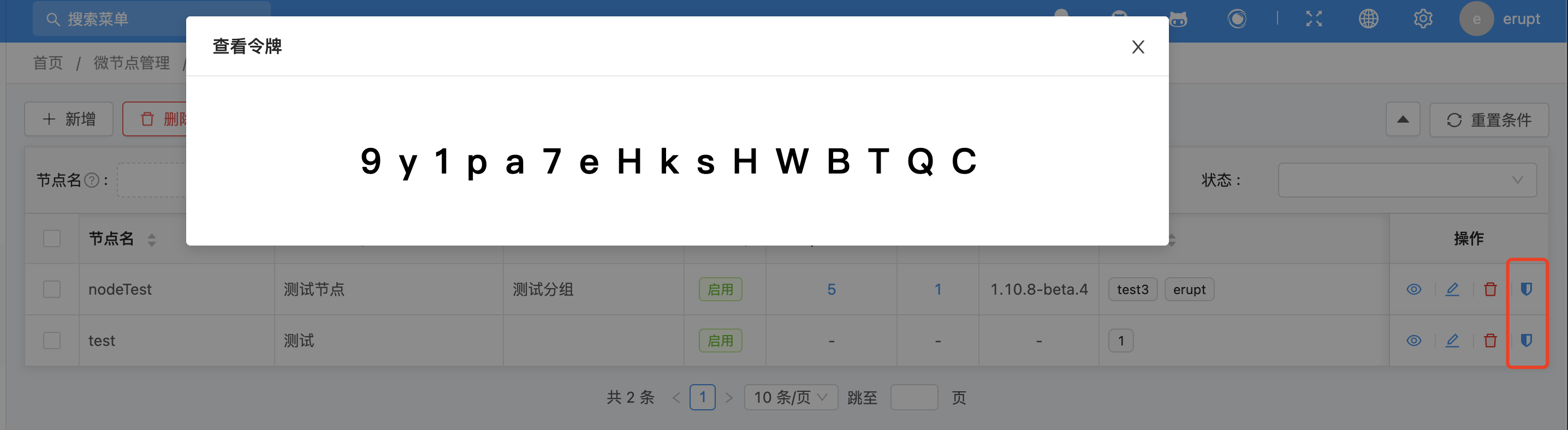
    access-token: 9y1pa7eHksHWBTQC
    # 必填:节点名称,需与 server 端配置一致
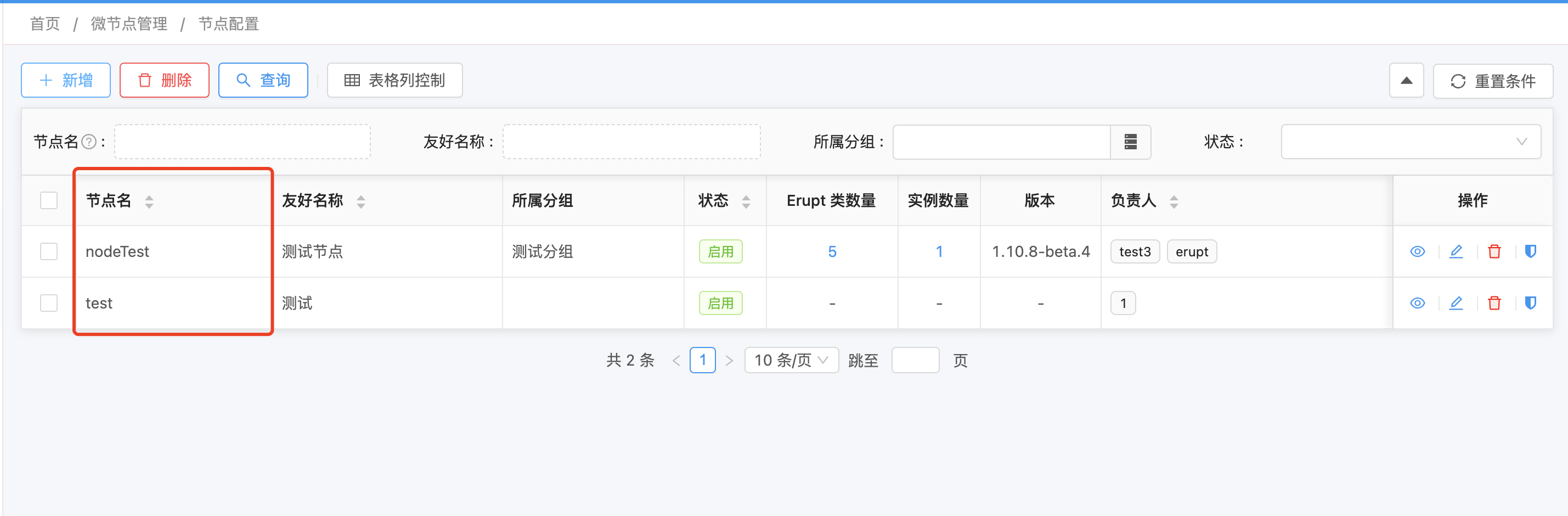
    node-name: nodeTest

    # 可选:当前 node 节点地址,网络环境复杂时需显式配置
    host-address: ['xxx']
    # 可选:是否开启服务注册,默认 true
    enable-register: true
    # 可选:心跳时间(毫秒),默认 15000
    heartbeat-time: 15000
在 Server 端手动添加节点:
获取 access-token(需分配令牌查看权限):
4. 添加 @EruptScan 注解
java
@SpringBootApplication
@EruptScan
public class DemoApplication {
    public static void main(String[] args) {
        SpringApplication.run(DemoApplication.class, args);
    }
}
5. 启动

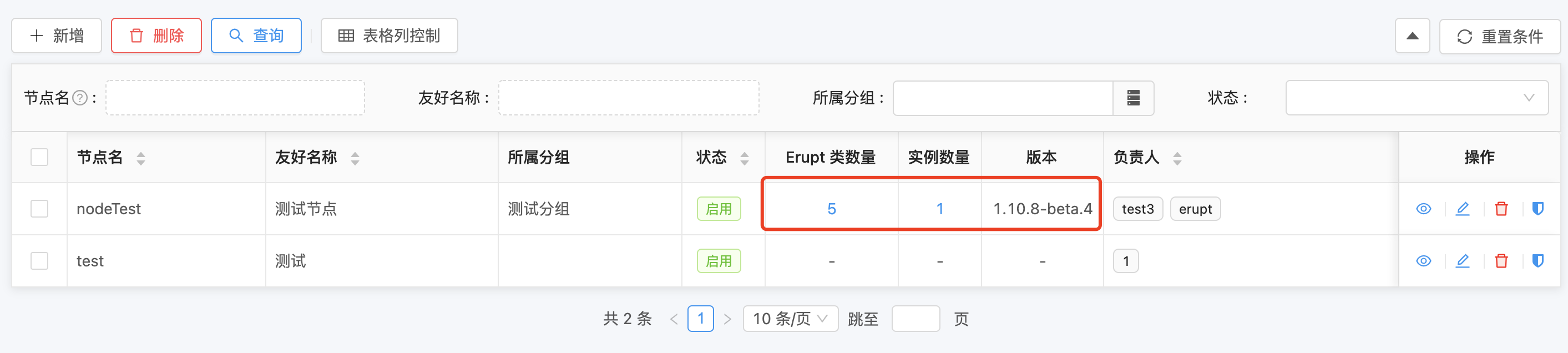
启动成功后,Server 端显示当前节点实例数、Erupt 类数量、版本等信息:
在 Node 节点创建 Erupt 实体
java
@Erupt(name = "简单的例子")
@Table(name = "node_demo")
@Entity
public class NodeDemo extends BaseModel {

    @EruptField(
        views = @View(title = "文本"),
        edit = @Edit(title = "文本")
    )
    private String input;

    @EruptField(
        views = @View(title = "数值"),
        edit = @Edit(title = "数值")
    )
    private Integer number = 100;
}
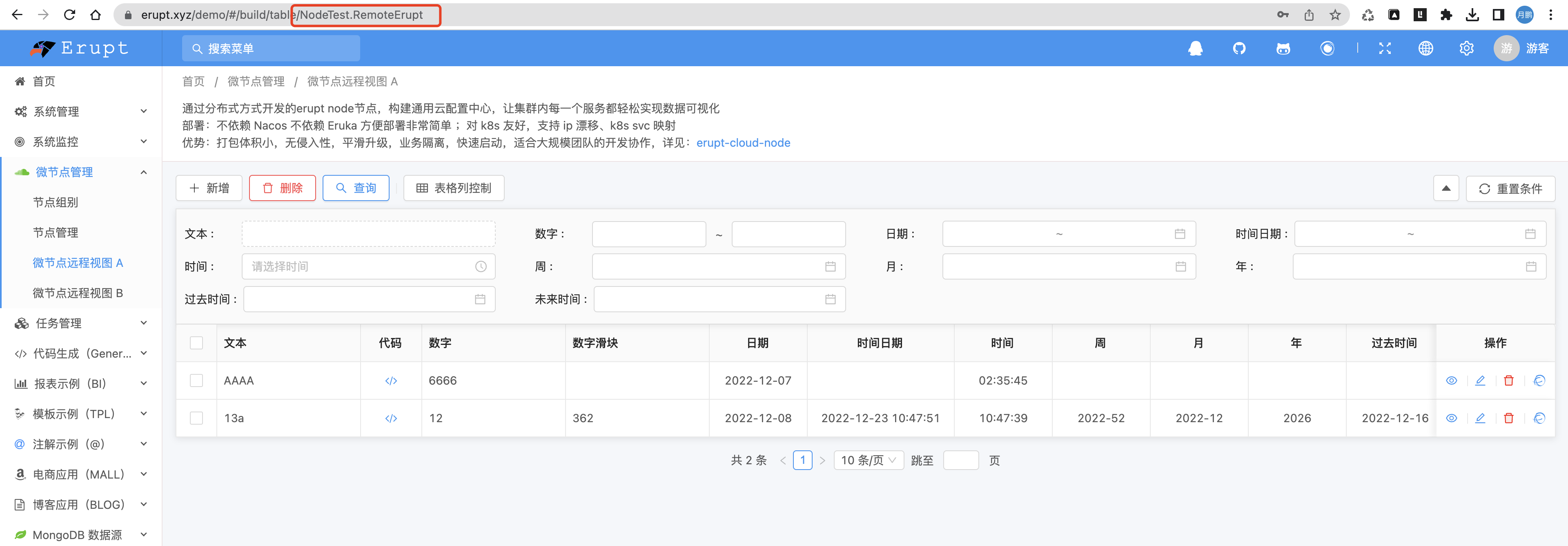
在 Server 端关联 Node 实体
- 进入系统管理 → 菜单维护 → 新增
- 类型值填写格式:
节点名.类名,例如节点名为NodeTest,则填NodeTest.NodeDemo
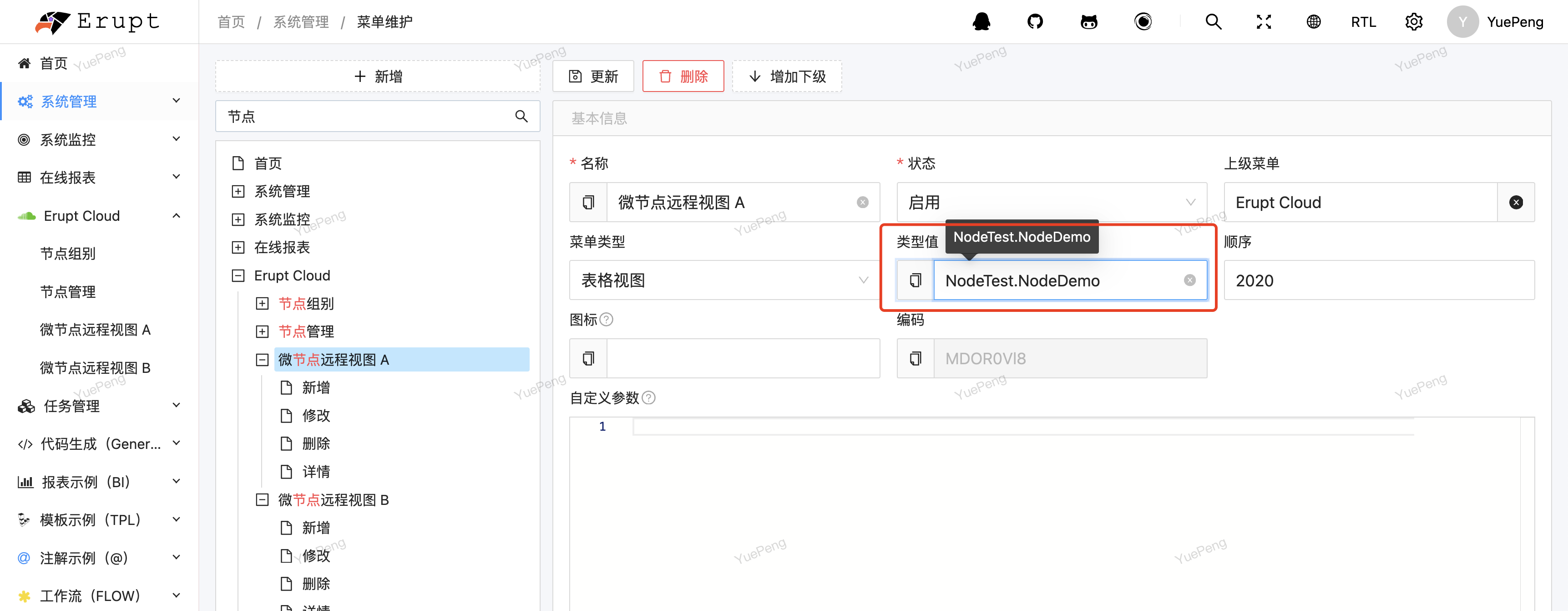
刷新页面即可看到 Node 节点配置的页面:
连接数据库(JPA)
1. 添加依赖
xml
<dependency>
  <groupId>xyz.erupt</groupId>
  <artifactId>erupt-cloud-node-jpa</artifactId>
  <version>${erupt.version}</version>
</dependency>
<dependency>
  <groupId>mysql</groupId>
  <artifactId>mysql-connector-java</artifactId>
  <scope>runtime</scope>
</dependency>
2. 添加数据库配置
yaml
spring:
  datasource:
    url: jdbc:mysql://127.0.0.1:3306/erupt?useUnicode=true&characterEncoding=UTF-8&serverTimezone=Asia/Shanghai
    username: root
    password: 123456
  jpa:
    show-sql: true
    generate-ddl: true
    database: mysql
Node 节点插件支持
WARNING
未提及的依赖勿引入,可能引发意外问题。
| 模块名 | 能力说明 |
|---|---|
| erupt-cloud-node | 微节点基础能力 |
| erupt-cloud-node-jpa | 数据库(JPA)能力 |
| erupt-mongodb | MongoDB 数据库能力 |
| erupt-excel | Excel 导入导出能力 |
| erupt-tookit | 工具类(如 choice 组件的 SQL 查询能力) |
| erupt-tenant-core | 多租户能力(未开源) |
在 Node 节点获取 Server 配置
java
@Component
public class Fetch {

    @Resource
    private ServerRemoteService serverRemoteService;

    public void test() {
        // 获取当前登录用户信息
        MetaUserinfo metaUserinfo = serverRemoteService.getRemoteUserInfo();
        // 获取节点配置(配置位置:主节点 → 节点管理 → 节点配置)
        String config = serverRemoteService.getNodeConfig();
        // 获取节点组配置(配置位置:主节点 → 节点组别 → 分组配置)
        String groupConfig = serverRemoteService.getNodeGroupConfig();
    }
}